ToolsFam Go Chrome Extension: Privacy-First Browser Tools in Your Side Panel
ToolsFam Go is now live on the Chrome Web Store. Learn why we built a lightweight, privacy-first Chrome side panel extension for quick browser tools, developer utilities, text tools, URL helpers, and faster daily workflows.
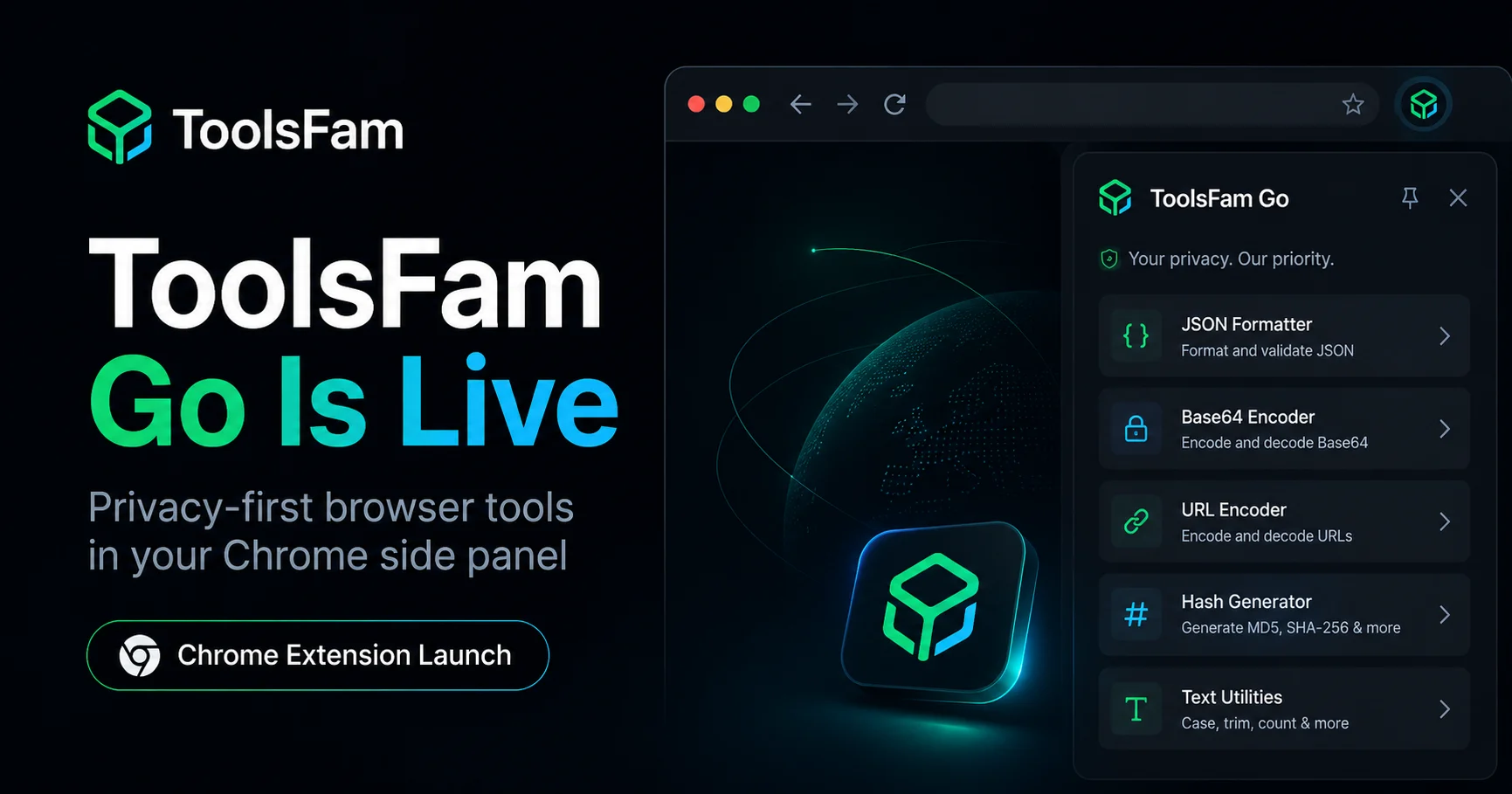
ToolsFam Go is now live on the Chrome Web Store. It is a lightweight Chrome extension built to bring useful browser tools into the Chrome side panel, so users can complete small daily tasks faster without constantly switching tabs.
You can install it from the Chrome Web Store here: Install ToolsFam Go.
ToolsFam Go is part of the larger ToolsFam platform, a privacy-first browser tools website for developers, creators, marketers, students, and everyday internet users.
Why we built ToolsFam Go
Most people use online tools in the middle of real work. A developer may need to decode Base64 while debugging an API response. A marketer may need to clean a tracking URL before publishing a campaign. A student may need to format text while preparing notes. A creator may need a quick utility while writing content.
These tasks are small, but they interrupt focus. The normal workflow usually looks like this:
- Open a new tab
- Search for a tool
- Find a website that looks trustworthy
- Paste your content
- Complete the task
- Go back to the original page
That is too much friction for simple browser utility work. ToolsFam Go was created to reduce that friction.
A Chrome side panel extension for quick browser tools
The Chrome side panel is useful because it keeps tools close to your current browsing workflow. Instead of opening a full new tab for every small task, ToolsFam Go lets you access useful mini tools from the side panel.
This makes the extension especially useful for people who work inside the browser all day, including software engineers, content creators, SEO specialists, marketers, researchers, and students.
The goal is not to overload the extension with hundreds of heavy tools. A small side panel should stay fast, focused, and easy to use. Larger tools should open on the main ToolsFam website, where they have enough space for better input areas, previews, options, and results.
What ToolsFam Go helps with
ToolsFam Go is designed for the kind of small utility tasks that come up repeatedly during daily browser work.
- Text tools: clean, format, transform, and prepare text quickly.
- URL tools: handle common web and link-related tasks without leaving your current workflow.
- Base64 tools: encode and decode content during development, debugging, or data handling.
- Developer utilities: access useful helpers for common web development tasks.
- Fast ToolsFam access: open larger tools from the full ToolsFam platform when a task needs more space.
This gives users a balanced workflow: quick tasks inside the extension, advanced tasks inside the full web app.
Why privacy-first browser tools matter
Many people paste sensitive content into online tools without thinking about where that content goes. This can include API responses, URLs, customer text, private notes, draft content, metadata, or internal data.
That is why privacy-first design matters for browser tools. ToolsFam is built around a simple principle: tools should avoid unnecessary uploads whenever possible.
For many small utility tasks, processing can happen locally in the browser. This approach is better for speed, trust, and user control. ToolsFam Go follows that direction by keeping the extension lightweight and focused on practical browser-side utility.
Privacy-first does not only mean adding a privacy policy. It means designing tools in a way that respects the user’s workflow and data from the beginning.
Why lightweight extensions are better
A browser extension should not feel like a second operating system. It should be fast, understandable, and easy to maintain.
Heavy extensions often create problems:
- They become slow over time
- They request too many permissions
- They clutter the browser experience
- They are harder to trust
- They try to do too much inside limited space
ToolsFam Go takes a more focused approach. The extension should do the small things well and connect users to the larger ToolsFam platform when needed.
Who should use ToolsFam Go?
ToolsFam Go is useful for anyone who regularly uses small online tools inside the browser.
For developers
Developers often need quick helpers for text, URLs, encoding, decoding, formatting, and debugging. ToolsFam Go helps reduce unnecessary tab switching during coding and testing workflows.
For marketers and SEO professionals
Marketers often work with URLs, campaign links, copy, snippets, and metadata. Having quick browser tools nearby can make publishing and checking content faster.
For creators and writers
Creators regularly clean text, prepare captions, format content, and move between publishing platforms. A side panel utility can make those repeated tasks easier.
For students and researchers
Students and researchers often collect, clean, and reformat text while studying or preparing notes. ToolsFam Go can help with small formatting tasks without breaking focus.
ToolsFam Go vs opening random online tools
There are many online utility websites, but users often face the same problems: cluttered pages, too many ads, unclear privacy practices, poor mobile or browser experience, and inconsistent tool quality.
ToolsFam Go is not trying to be another messy collection of random tools. It is part of a focused browser tools ecosystem. The extension handles quick access, while the main website gives users a larger and cleaner tool experience.
You can explore the main platform here: ToolsFam privacy-first browser tools.
Version one is just the beginning
This first version of ToolsFam Go is intentionally simple. The goal is to launch with a clean foundation, learn from real users, and improve the extension based on practical usage.
Future improvements may include better mini tools, improved search, faster tool access, cleaner UI interactions, more developer utilities, and stronger integration with the full ToolsFam website.
The long-term vision is clear: ToolsFam should become a trusted place for browser-based tools that feel fast, modern, useful, and privacy-first.
Install ToolsFam Go
If you use online tools often, ToolsFam Go can help you access useful browser utilities faster from the Chrome side panel.
Install ToolsFam Go from the Chrome Web Store
You can also explore the full ToolsFam platform here:
Final thoughts
Small tools should not create big interruptions. ToolsFam Go is built around that simple idea.
By putting quick browser tools inside the Chrome side panel and connecting users to the larger ToolsFam platform, we want to make daily utility work faster, cleaner, and more privacy-conscious.
This is the first Chrome extension launch for ToolsFam, but it is an important step toward building a better browser tools ecosystem.